

People often group firmware and software together as "the code that runs a device." In practice, however, firmware and software are written, stored, and updated in different ways. That difference matters a lot once a product uses custom hardware; it shapes choices about architecture, how updates get handled, and who on the team builds what.
We will give a more detailed account of the distinction between firmware and software, together with the associated hardware and embedded software, and explain how to determine which level of abstraction your hardware product might require.
What is the difference between firmware and software?
Firmware refers to code stored in a device's memory that controls the device at a low level, while software is a broader term for any program a computer runs, such as operating systems and applications.
The real difference is how close something is to the hardware. Firmware sits close to the physical components and stays out of sight; most end users have no idea it exists. Software, on the other hand, sits above the operating system and is designed to be modified: it includes new features, new versions, and sometimes a new release every week.
Firmware is usually stored in the device's non-volatile memory, for example, in ROM/EPROM/Flash memory. The software for a device is generally loaded into the RAM and from the disk as needed by the operating system.
As for the update process, firmware updates are typically infrequent and controlled by the manufacturer, partly because the update mechanism itself generally has limited safety measures. Firmware also often lacks a complete operating system underneath it to fall back on if something goes wrong while the update is being written. As a result, a faulty update can leave the device unusable, or 'bricked', in engineering terminology.
Software updates are continually released and generally involve a lower level of risk because they operate on top of an operating system which usually has a working backup available. However, that protection does not happen automatically; if you corrupt the update process itself, such as the bootloader or the operating system's own update procedure, then the device can be rendered inoperable just as easily as it can be with firmware.
As TechTarget noted in 2026, firmware is software embedded in hardware. It controls a device's operation and can also add functionality. Firmware tells the hardware how to function as a device, and software then tells the device what to do.
| Firmware | Software | |
|---|---|---|
| Runs on | Hardware directly | Operating system |
| Storage | ROM, EPROM, flash | RAM, disk |
| Update frequency | Rare, vendor-controlled | Frequent |
| Update responsibility | Manufacturer | User or automatic updater |
| Example | Router firmware, BIOS | Mobile app, desktop app |
Where does hardware fit into firmware vs. software?
Hardware refers to the physical device, while firmware and software are the instructions that operate on it; firmware is closest to the hardware itself, whereas software is farthest from it. Imagine it in the form of a stack, with the hardware at the bottom, then the firmware as the layer which speaks the device's language, followed by the operating system (if it exists), and the application software on top.
People refer to hardware and firmware as if they were the same thing simply because firmware is pre-installed and never appears. If someone buys a thermostat, they never think about its firmware separately from the plastic case; it either works or it doesn't.
Consider a smart thermostat. The physical components include the temperature sensor, the display, and the relay, which switches the furnace on and off. Meanwhile, the firmware includes low-level code that reads the sensor, controls the display, and switches the relay without damaging anything.
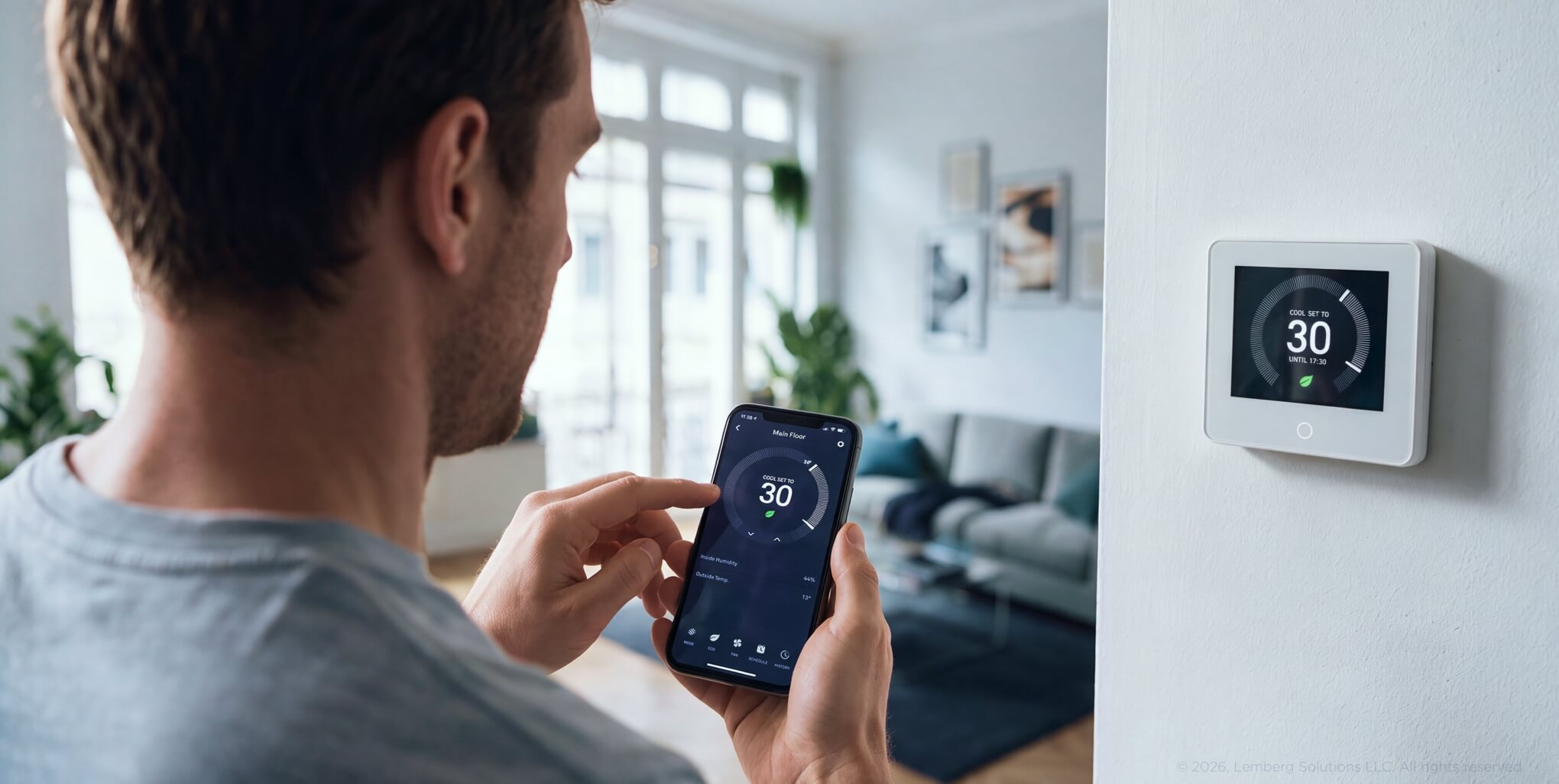
It is also responsible for the scheduling logic, the connection to a phone app, and the screen that you actually touch. Finally, the software includes a phone app, which enables remote control of the smart thermostat.
| What it Is | Changeable? | Example | Who typically builds it | |
|---|---|---|---|---|
| Hardware | Physical device | No, fixed at manufacturing | Sensor, chip, casing | Hardware engineers |
| Firmware | Device-specific control code | Rarely, vendor-issued updates | Thermostat's low-level control logic | Firmware/embedded engineers |
| Software | Application logic, UI | Often, frequent releases | Phone app | Software/app engineers |
What is the difference between firmware and embedded software?
Firmware and embedded software have a lot in common, but embedded software is the broader category. Embedded Linux shows why: it's a full operating system, with its own kernel and process model, sitting above the firmware layer, so an app running on it counts as embedded software, not firmware.
An RTOS works differently: it's typically compiled directly into the firmware image alongside the application, rather than loading programs from disk into RAM the way Linux does, so RTOS-based code is usually firmware itself, not a layer above it.
All firmware is considered to be embedded software because it is written for one particular device and no other. However, the reverse is not the case—an application that runs on top of embedded Linux is still classified as embedded software, still designed for a specific device, although it operates at a level above the firmware rather than being firmware itself.
The most important decision occurs at a specific point: whether to use firmware on a microcontroller or embedded Linux on a single-board computer. Once you make that choice, the entire engineering approach changes, affecting the team's skills, available tools, and how updates are pushed to the field. When working with clients, Lemberg Solutions' embedded software development team considers this decision early, before the architecture is finalized and changes become expensive.
Engineers mix up the terms often enough that it's a recurring topic in embedded developer circles. A DEV Community write-up frames firmware as the code that talks directly to the MCU and its peripherals, and embedded software as the higher-level application layer built on top of that.
| Runs on bare metal | Typical memory footprint | Example | |
|---|---|---|---|
| Firmware | Yes, or close to it | Kilobytes to low megabytes | MCU boot code, sensor driver |
| Embedded software | Often no — runs on Linux | Megabytes and up | App logic on embedded Linux |
How do you know which one a project needs?
Most connected products require both. The real issue isn't whether to use firmware or software, but how much logic belongs in the firmware versus the layer above it.
In situations with real-time constraints, the need for direct control of sensors or actuators, strict power limits, or safety-critical timing, firmware might often be lean.
When a project requires a complex user interface, involves frequent delivery of new features, relies on cloud connectivity, or has to process more data than a small microcontroller could realistically manage, it should adopt more powerful systems, such as Linux-based systems.
Getting the split wrong often shows up later as an expensive fix: safety-critical timing logic stuffed into a software layer that was never built to guarantee it, or a fast-changing UI baked into firmware that's a pain to update once it's out in the field. Lemberg Solutions' firmware development services cover this exact decision, from picking the hardware platform to deciding where the firmware-software line should sit.
What are common examples of firmware and software?
When looking for firmware examples, consider a router's firmware that manages its radios and boot procedure, or the BIOS or UEFI in a computer, which configures the hardware before the operating system loads. Another example is the firmware in a car's ECU, which controls engine timing and handles sensor input in real time; and the firmware built into an IoT sensor, which reads data and transmits it while running very little else.
Examples of software include a companion mobile application that pairs with a wearable device via Bluetooth and updates through an app store, regardless of the wearable's firmware. Next is a cloud-based dashboard that displays telemetry data fed in from a fleet of IoT sensors and updates on the server side without needing to interact with the devices themselves.
Finally, a desktop configuration tool is used for flashing, monitoring, or debugging an embedded device; it runs on a general-purpose operating system and uses separate patches from the hardware it connects to.
For a closer look at how firmware projects come together, see Lemberg Solutions' blog post on firmware development: key points you should know.
Conclusion
Firmware and software both run on hardware, but they're answering different questions. Firmware answers "how does this device work at all"; it can be low-level, rarely touched and welded to specific components.
Software answers "what does this device do for the person using it." Software is higher-level, constantly updated, and portable across different hardware.
Embedded software sits between the two: like firmware, it is written for a specific device, but it usually runs above the hardware. Most products need all three layers working together, and getting that split right at the architecture stage costs a lot less than fixing it once the hardware's already shipped.


